primopy


Your Python IDE, with a tutor that makes you think.

✓ Python runs on-device ✓ Free for non-commercial use ✓ No account

Step your code forth. And back.Ask the tutor. It asks back.

Ideal for learning and teaching

Understanding with joy.
That’s how creators are made.

Built by a university lecturer who fell in love with programming as a child — first for his own students, now for everyone.

Now that anyone can use AI, the basics of programming matter to even more people. We believe learning them should be fun, with instant feedback. Then you can create with confidence.

Teaching or working in R?
Try Rprimo →

A tutor that asks back

Our AI tutor helps you learn to code yourself.

"Why is this wrong?" is already a complete question, because the tutor sees your code, your output and the line you are on. It is prompted to answer with a question of its own and to give the next step rather than the finished code, instead of writing the program for you.

It is a language model: its answers are not deterministic, so it might depart from that, and it can be wrong.

you
Add an eye dot.
tutor
turtle.dot(size) draws a filled circle centered on the turtle's current position — one call, no fill flags needed.
The question is where the eye goes: do you want it at the end of the spiral as it stands, or back at the center where the arcs started?
Quiz mode

Self-assessment quizzes, conducted by our AI tutor.

State topic, learner's level and optionally a few questions with reference answers. Then, the tutor asks questions, gives hints on request, and holds back the reference answer until the student says they are done. Nothing is scored and nothing is reported: it is practice, not assessment. Share this quiz as a URL to anybody you like.

tutor · question 2 of 4
What would countdown(0) print, and what would it return? Try to answer before you run it.
you
nothing printed, returns "liftoff"
tutor
Right on both. Now, why does line 4 never run for n = 0? Which line stops it?
Recursion on the tape

Follow every step in detail.

Step into a line and see how Python evaluates it part by part, down to each partial result. The execution tape shows every step as a bar, its height shows the call depth. Recursive functions will be much easier to understand: each call climbs, and each return descends a level.

The execution tape under a recursive countdown function: the bars climb one level with each call, then drop back as the calls return, and the cursor sits at step 17 of 21 where the innermost call returns liftoff The execution tape under a recursive countdown function: the bars climb one level with each call, then drop back as the calls return, and the cursor sits at step 17 of 21 where the innermost call returns liftoff
A whole project in one link

Hand out an exercise as a link. That is the whole setup.

Files, the input the program reads, breakpoints, packages, and optionally a quiz: all of it sits in the address itself, so it never touches a server. Put it on Moodle or Teams, on your own web pages, or as a link on a LaTeX slide. A mail and a PowerPoint slide cut a long link in their text short: attach it to the mail in a file, and on a slide put it on an action button. On Moodle or Teams you can swap the link for a new one later, and whoever opens it from then on gets the new version.

primopy.com/ide/#pz=bVPLbtswEPyVBS-1AUV13aIHB0YO7Q8UCJBDlQMtriQ2FFchKStK4H_vLi0nTdCDAL52dmZ29KKOavelUI11GNXu
3 filesinput.csvinput preparedpip openpyxlquiz · 4 questions
opens from a slide a mail Moodle Teams your web page
Notebooks that run where they are read

Interactive notebooks and course material.

Provide documentation with interactive code cells, exercises and quizzes, written as Markdown files, Jupyter or MyST notebooks, Quarto or R Markdown files. Code cells run in place or open in the main IDE, exercises are checked with test cases, and the tutor conducts the quizzes. The documents can be delivered in the same link as the code, with their saved outputs and data files.

▶Open the example

The primopy editor with the example document open in its tab: two Python cells, the second building on the first, each with its Console, Run here and Copy buttons, and below them the Draw tab with the year's temperature and rain drawn as two lines, the status line saying the cell above ran first The primopy editor with the example document open in its tab: two Python cells, the second building on the first, each with its Console, Run here and Copy buttons, and below them the Draw tab with the year's temperature and rain drawn as two lines, the status line saying the cell above ran first

Use Python packages.

For graphics, data analysis, simulation, optimization, and user interaction.

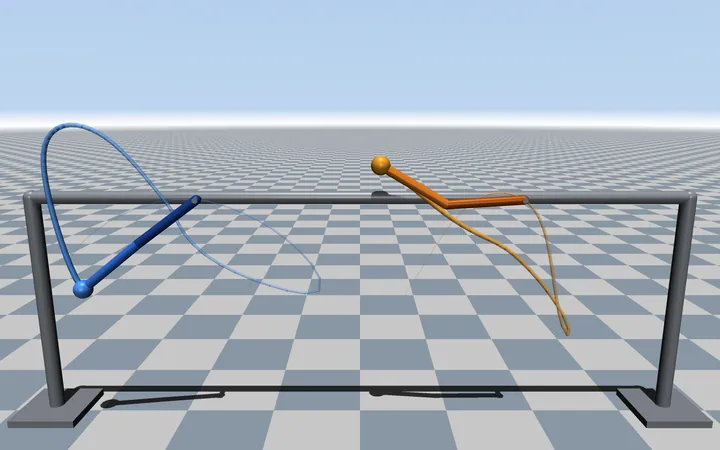
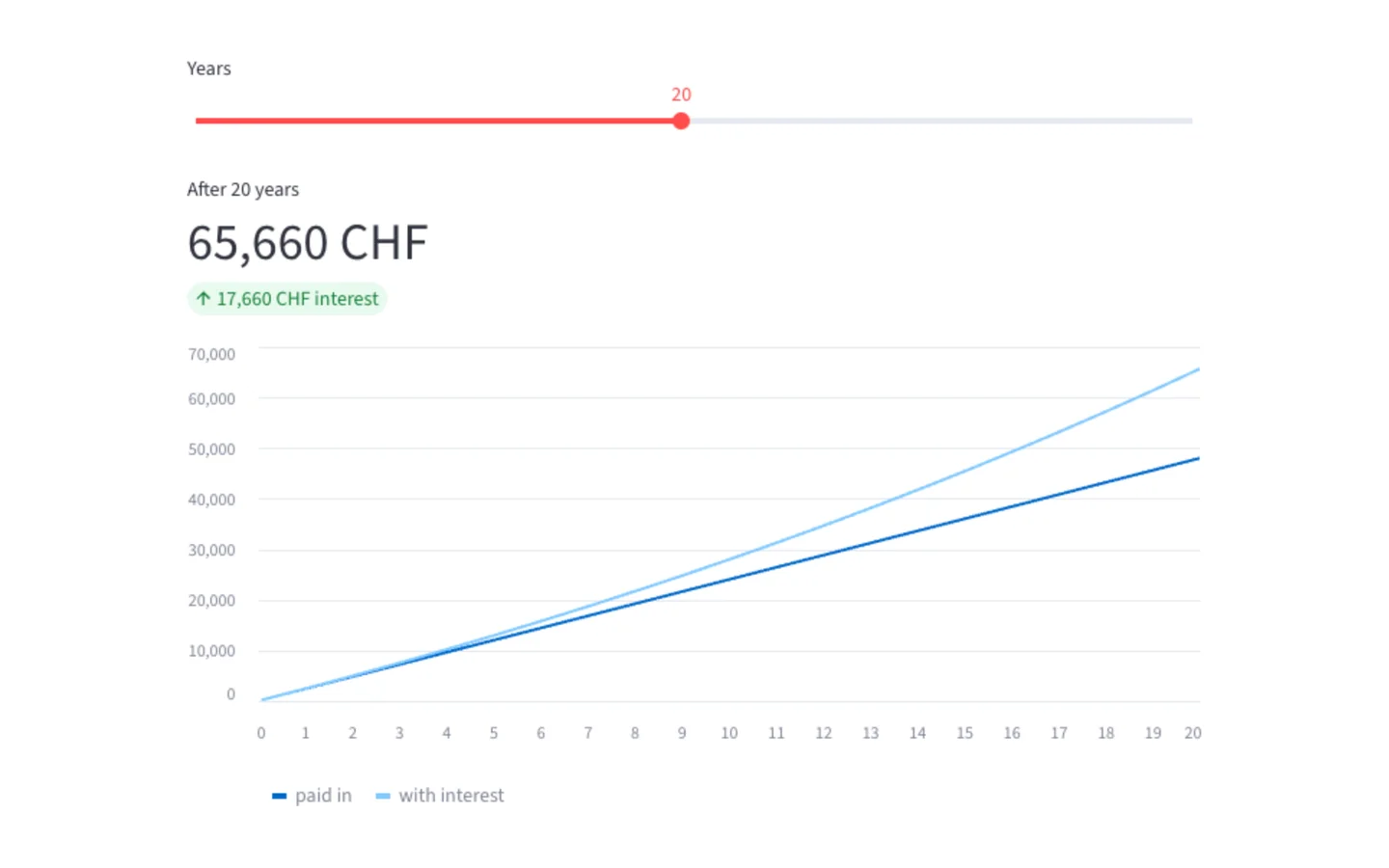
Two MuJoCo double pendulums in 3D, gone their own ways A Streamlit app with sliders and a chart A schedule found by OR-Tools, as a Gantt chart A live plotly bubble chart of the Gapminder data

primopy is its own category.

Python editor

Professional developer IDE

  • ✓Runs real Python. So does primopy, inside the tab.
  • –Debugging built for professionals. A breakpoint debugger steps forward through a program. primopy records the run, down to the sub-operations, so a student can also step back.
  • –Its AI is built to write code. That is what a working developer wants from it. primopy's tutor is prompted for the other job: to ask back, so the student writes the line.
  • –Install or sign in first. An installer on every machine, or an account for every student. primopy opens and runs.

primopy

Integrates editor and AI tutor

  • ✓A real Python IDE and a teacher in one page. Instantly start coding: nothing to install, and no account to write code.
  • ✓Steps back as well as forward. The run is recorded, so a student hops to the line of interest, down to the sub-operations.
  • ✓The tutor sees the running program. Your file, your error, the step you are on. It is prompted to answer with a question, and the AI runs where you say.
  • ✓A whole exercise as a long URL. Files, input, breakpoints, packages and your own quiz questions, with no server storage and no login.

AI Tutor

Socratic chatbot

  • ✓Asks back, explains, keeps the student working. So does primopy's tutor.
  • –No Python, no IDE. The student pastes code into a chat. Nothing runs, so the tutor guesses at output and state. primopy's tutor sits in the editor.
  • –Cannot see the step. No variables, no current line, no error as it happened. primopy's tutor sees all three.
  • –Hosted by the vendor. Prompts go to the provider's servers. primopy's tutor runs where you choose, on our Swiss server or your own.

“The primopy tutor is the prime example of how AI can and should be used in teaching.”

Dr. Richard Bödi · Lecturer, preparatory programming course

For teachers, schools and universities

Nothing to run, no accounts to manage. The lesson starts with Python.

Runs on the student's device

Python runs inside the browser tab, on the machine in front of the student. A room of a hundred pressing Run at once costs nothing and breaks nothing: no lab image, no server, no per-seat license.

Data stays put

Files live in the browser. Links carry the project in the address. No upload. Only what a student asks the tutor goes to the tutor server, and you choose which one. It is used to write the answer and then dropped: no transcript, no quiz result and no progress data is kept, and none of it is ever handed back to the school. There is no such function to switch on.

The tutor runs where you say

Hosted by us on our own GPU server in Switzerland, where the conversation reaches no outside AI provider, or self-hosted on your own GPU server on premise, so prompts never leave your network. It is a language model, so its answers vary and it can be wrong. It grades nobody and hands nothing on, so a student can ask the question they would never risk asking in front of the class.

The tutor is the one part with a price, because running our GPU server costs money. Schools and universities license it per class, per cohort or per term. It needs a sign-in and is separable: a course keeps working without it. Everything else on this page is free for education and private use. Companies using it in their work need a license; see the terms of use. Ask for a quote

For companies

Use it as it is, or run it on your own infrastructure, and connect other AI services.

Hosted by us, or on-premises

Use primopy as it is with a company license, or run it inside your own network: you host our IDE and the Python packages yourself. On-premises, nothing depends on a cloud service of ours.

Stays on the device

Python runs entirely on the user's device. Nothing leaves it unless the user shares it, asks the AI tutor about it, or your own setup sends it.

Adapts to your servers

A Content Security Policy already locks internet access down tightly. We can adapt it to your requirements to let you reach your own servers, such as internal data and services.

A company license covers use in your work. Tell us how many people and where it should run, and we send a quote. Ask for a quote

Five minutes from now you will have run a program.

Pick an example, press Record and Run, then step through it.